
JavaScript SEO Checker
Find conflicts between the HTML a server sends and the page a browser produces. Review page snapshots with optional Lighthouse evidence, then keep the findings that need a closer look.
Start with the mismatch
A page can look finished while its initial HTML still contains an old title, a conflicting canonical or a noindex directive. The reverse happens too: the server sends useful content, then a client-side error replaces it with an empty application state. These are different problems, and they need different fixes.
Compare the same final URL and the same page state. A logged-in account, a consent banner, a selected product variant or a slow data request can explain a difference without proving a JavaScript bug. Record that context before asking a developer to change the page.
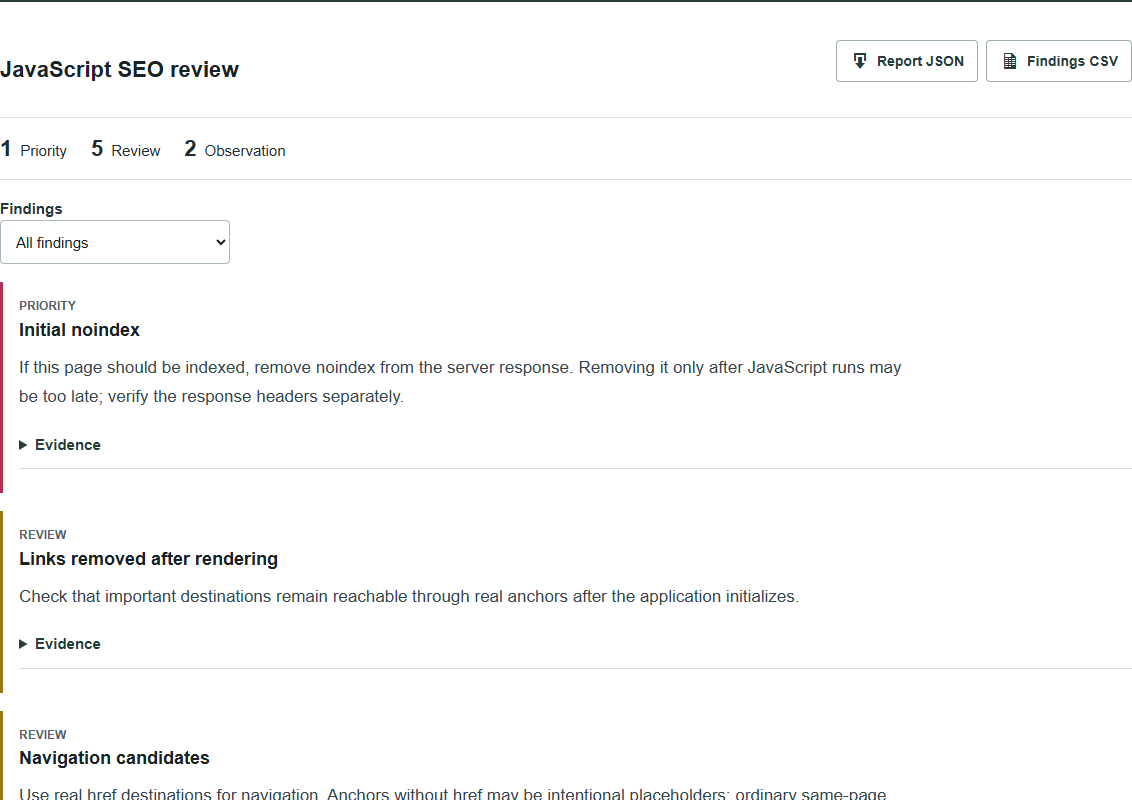
Fix directives first
An initial noindex deserves attention when the page is intended for search. Google may skip rendering after seeing it, so removing the directive with JavaScript is not a dependable repair. Correct the initial response and inspect HTTP headers as well. Keep deliberate exclusions on private, duplicate or error states where they belong. Google explains the rendering sequence and noindex behavior.
Canonical changes need a similar check. An application router should not silently replace the server’s preferred URL with another one. Check the page template and head-management code together. A canonical is a preference signal, not proof that Google selected that URL. Google’s canonical guidance recommends keeping the declaration clear and consistent.
Check the main content
A changed word count is a clue, not a score. Find the actual missing passage, heading or destination link. If it disappeared, inspect hydration, data fetching and conditional rendering. If it arrived only after rendering, confirm that the required scripts and data requests complete in a clean browser session.
Navigation also deserves a direct inspection. A real anchor with an href can expose a destination. A click handler on an anchor without href may not. Ordinary links to sections within a page are different from hash-based application routes; do not rewrite working section links merely because they contain a hash.
Read errors in context
A failed analytics request is not equivalent to a failed request for the article body. Start with the resources needed to display the page’s main purpose. A recorded status of zero means no HTTP response was recorded; it is not an HTTP status code.
Console evidence gives a starting point for reproduction, not a diagnosis by itself. Trace the message to its file and call stack, reproduce the affected action and check what the visitor loses. Chrome’s console-audit guidance explains that investigation.
Keep the evidence separate
A Lighthouse report describes one browser run. A saved DOM describes one captured state. Neither is Google’s indexed copy, and a missing audit does not mean it passed. Dates, final URLs and unavailable evidence should stay attached to every conclusion.
For Google-specific rendering questions, inspect the evidence available in Search Console URL Inspection or the Rich Results Test. Google’s JavaScript troubleshooting guide covers those checks. For other questions, use the Rendered HTML Checker for a detailed comparison, the Indexability Checker for crawl directives, or the Core Web Vitals Checker for performance evidence.
Common questions
Does the checker execute JavaScript?
No. Supply a rendered DOM snapshot from your browser. The checker compares it with the original HTML and can review an imported Lighthouse JSON report. Fetch source mode retrieves initial HTML only.
Does an initial noindex matter if JavaScript removes it?
Yes. Google may skip rendering when it sees noindex in the initial response. For a page intended for indexing, correct the server response and check the response headers too.
Is a console error proof of an SEO problem?
No. A failing analytics request and a broken script that builds your main content have different consequences. The report preserves the observed error; you still need to reproduce it and check the affected content.
Is this the same as the Rendered HTML Checker?
The Rendered HTML Checker is a detailed before-and-after comparison. This tool turns that evidence into a repair review and adds navigation candidates and optional Lighthouse browser-run evidence.
Can it confirm what Google indexed?
No. Use Search Console URL Inspection for the Google-specific evidence available for a verified property. These snapshots and Lighthouse runs do not establish index status.