
Canonical Tag Checker
Check which URL a page declares as canonical. Inspect the HTML and response headers, spot conflicting declarations, and review the destination before changing your tags.
Start with the URL
Use the exact address you are investigating, including its parameters. A product URL with a tracking parameter may intentionally point to the clean product URL. A category page pointing to the homepage is a different decision: removing a parameter and replacing a page are not the same thing.
If the address redirects, the report separates that journey from the canonical found on the final response. For a detailed redirect investigation or several URLs at once, use the Redirect Checker.
Read both sources
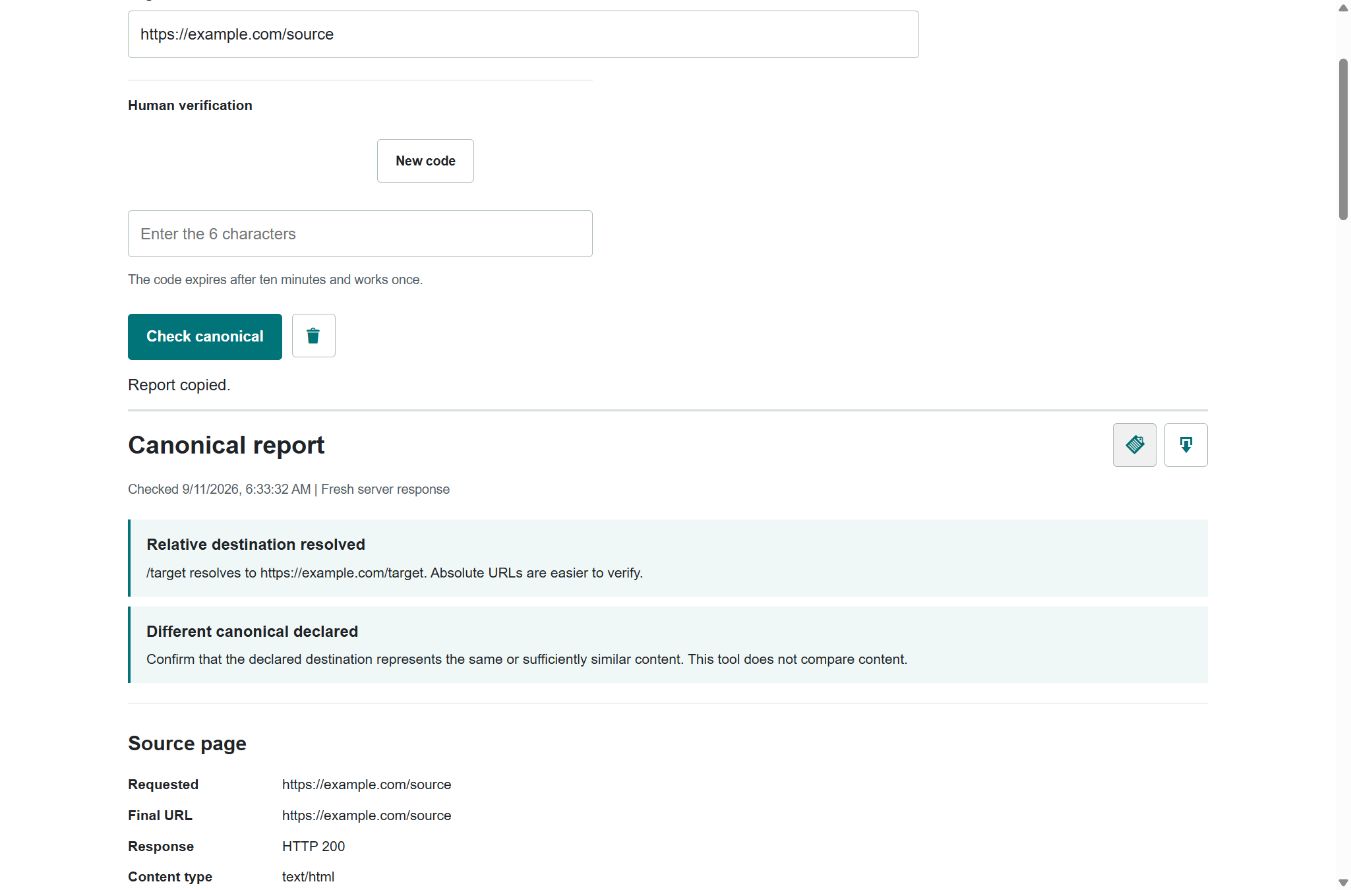
A canonical can appear as a link element in the HTML head or in an HTTP Link header. The header matters for PDFs and other non-HTML files. Looking only at the page source can miss it. This checker displays both sources and preserves the original destination text alongside its resolved URL.
A relative destination is not automatically broken. For example, ../guide resolves differently depending on the page address and any valid HTML base URL. An absolute destination removes that ambiguity for the next person reviewing the template.
Check disagreements
Two declarations pointing to the same address are redundant; two pointing to different addresses are a conflict. In WordPress, check the SEO plugin, theme and any custom header rules before adding another tag. Fix the source of the disagreement rather than hiding one instance in the browser.
The report keeps unusable declarations visible, including empty destinations, fragments, unsupported header contexts and tags outside the HTML head. When different usable destinations remain, it does not choose one and pretend that the ambiguity is resolved. Screaming Frog’s canonical audit workflow is useful when the problem spans many templates.
Follow the destination
With destination verification enabled, the checker requests one unambiguous canonical target. Review a redirect, an HTTP error, a noindex directive or a destination that points elsewhere. A canonical chain is not the same as a redirect chain: the browser may remain on the source even while its markup declares a different preferred page.
The destination also needs to make editorial sense. Does it contain the same product, article or a sufficiently similar version? This tool does not compare page content. A successful response cannot establish that relationship, and pointing unrelated pages at a stronger URL is not a substitute for improving them.
Declared is not selected
A self-referencing canonical is evidence of a preference, not proof that Google accepted it. Google combines signals and can select another representative URL. Check the Google-selected canonical in Search Console’s URL Inspection when investigating an indexing discrepancy. Google’s canonicalization explanation describes that distinction.
Keep internal links and sitemap entries aligned with the intended URL. For translated pages, avoid automatically sending every canonical to the English version; canonical and language-alternate annotations have different purposes. Use the Hreflang Generator for language mapping and consult Google’s implementation guidance before changing a multilingual setup.
Know the boundary
This is a fresh server request, without your login session. It does not render JavaScript, read Search Console or check robots.txt, sitemap membership or content similarity. A firewall, location rule or bot restriction may produce a different response from the one you see in your browser. Partial responses and incomplete requests are labeled rather than treated as clean results.
Robots evidence refers to the inspected HTML and HTTP headers. No observed noindex does not mean a page is crawlable or indexed; other restrictions may exist. Google’s robots-directive reference explains how those instructions apply. For a wider page review, run the SEO Checker.
Common questions
Does this show the canonical Google selected?
No. It reports the canonical declared by the fetched response. Google may select another URL. Use URL Inspection in Search Console for Google-specific evidence.
Can a PDF have a canonical?
Yes. A non-HTML document can declare its canonical through an HTTP Link header. This checker reads that header; it does not parse PDF content.
Does this fix my canonical tags?
No. It is a read-only check. Review the evidence, make any needed changes in the system that owns your tags, and check the page again.
Choosing an outreach page?
Resolve the intended destination before sending a publisher brief. Share your target URL and campaign requirements for an outreach review.